System Dashboard
System Dashboard is a TUI (text-based user interface) dashboard for FreeGateway systems, whether they are fully customized Gateway systems or servers running FreeGateway software. It gives you most of the convenience of a web-based dashboard without the security impacts. It is written in C++23 using the FTXUI library for terminal-based user interfaces.
Secure by design
FreeGateway rejects the security compromises of a web-based dashboard for critical infrastructure. System Dashboard is reached over SSH, using only SSH certificates, and it runs in a terminal session, so it adds no web interface to the system.
Everything about the host in one place
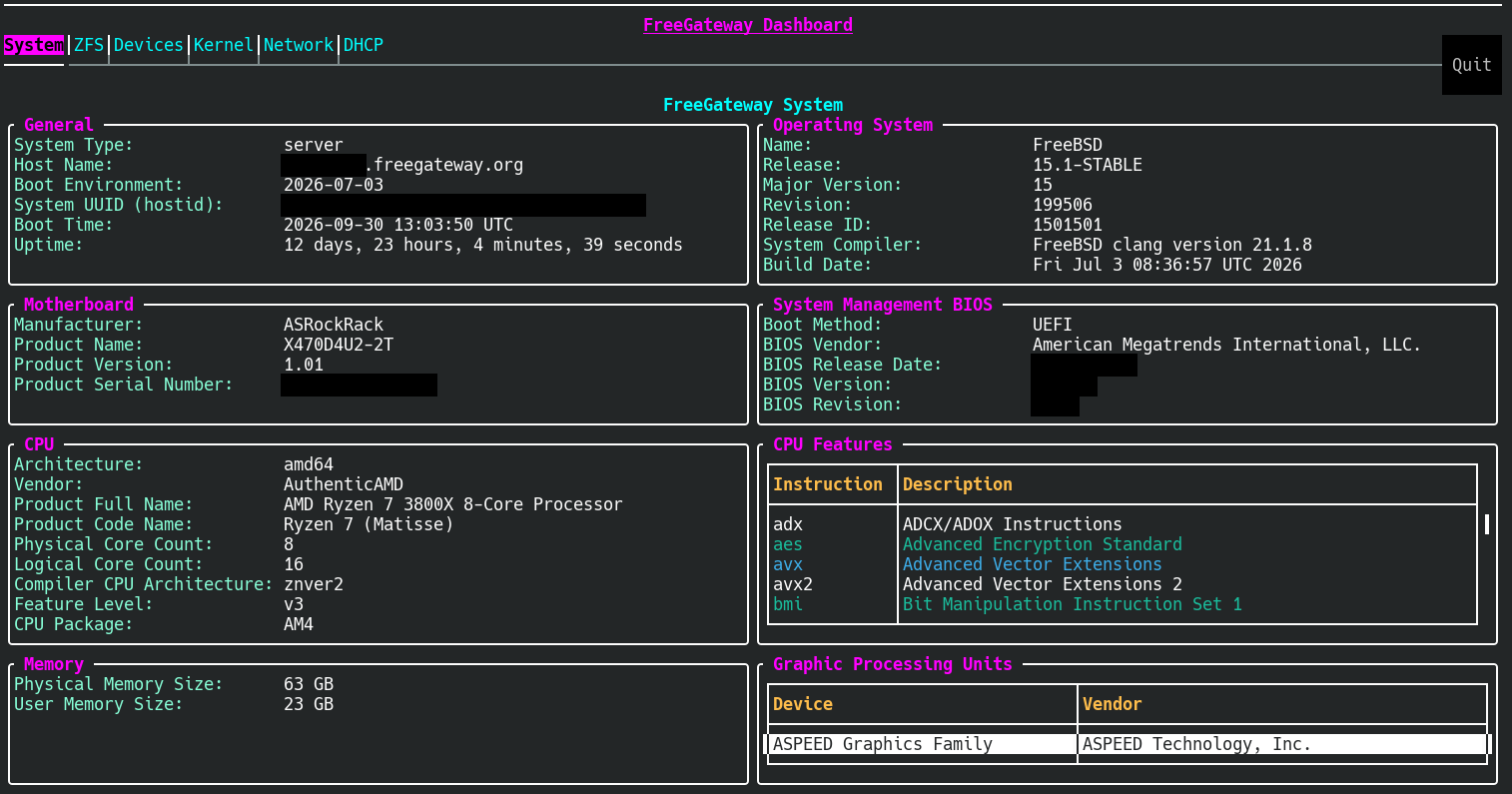
System Dashboard presents easy-to-read information about the system it runs on:
- CPU architecture and features
- BIOS information and date
- Operating system details
- Memory devices and their capacities
- ZFS pools and datasets
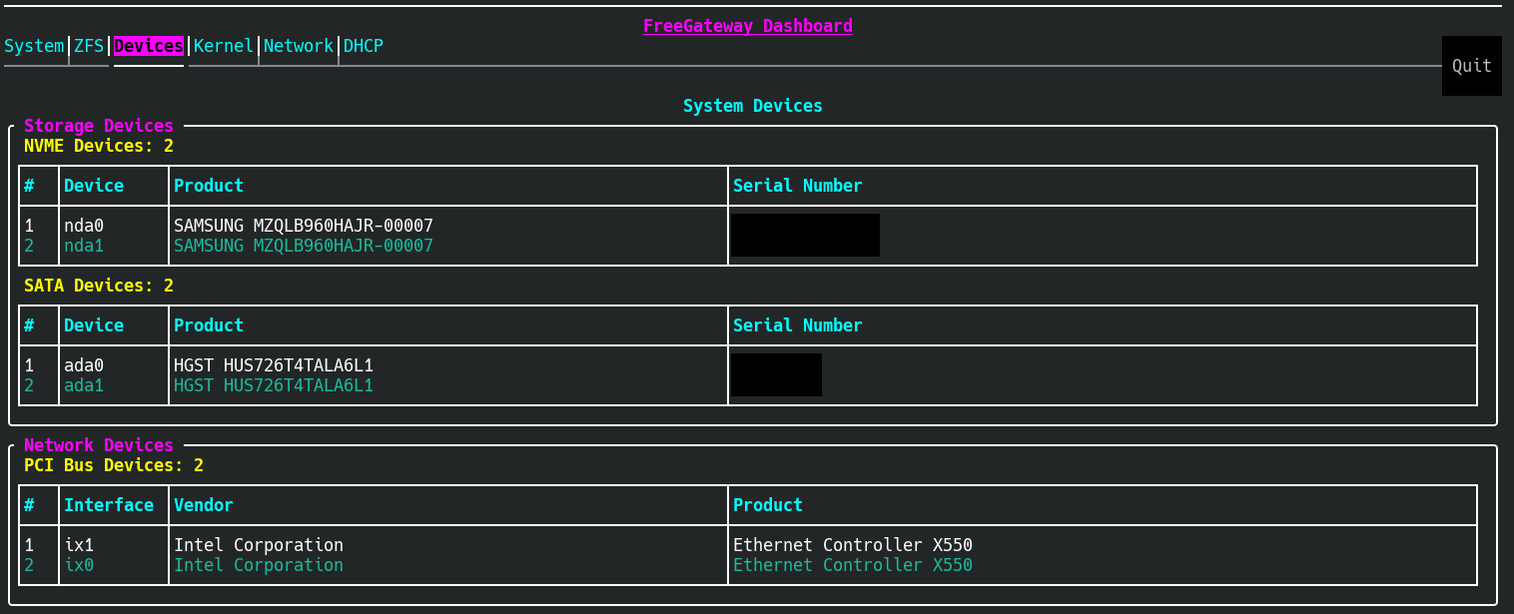
- Network interfaces
- Storage devices
- DHCP leases, on systems that run a DHCP server
Screenshots
The System tab shows the host’s hardware and operating system. The Devices tab lists its storage and network devices. Identifying details have been blacked out.
Read-only for now
System Dashboard is currently read-only. The ability to make changes is in development. For example, registering DynDNS clients will be possible from it.
System Dashboard is separate from the Kojo Dashboard, the web-based interface for managing a Kojo email system.